Case Flow ID
Dental lab case management, in one calm view.
One organized workspace for dental laboratories and clinics. Track every case from prescription to delivery, manage production, and collaborate with doctors.
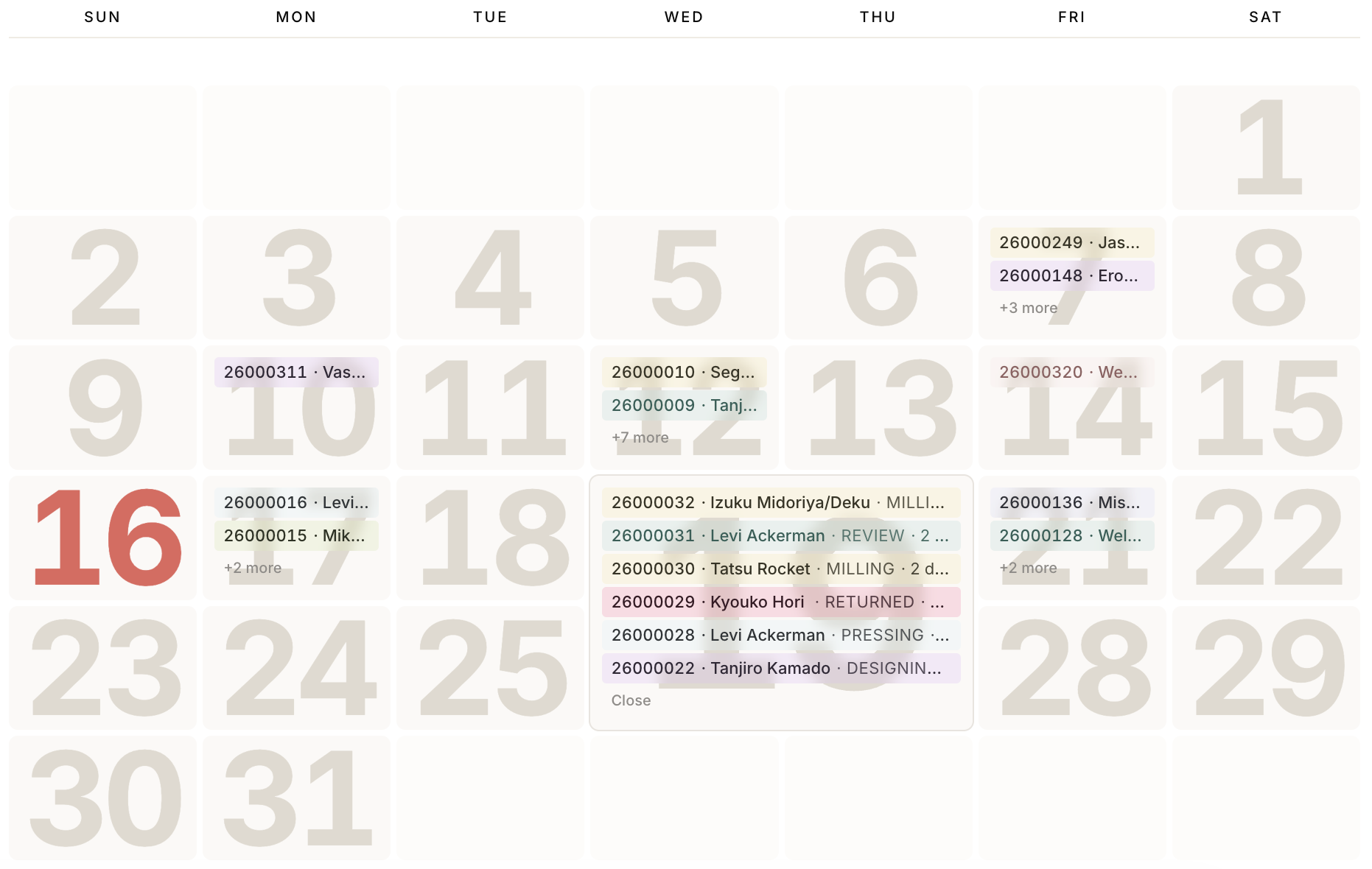
Your cases, organized around your calendar.
Access, manage, and open every case directly from one intuitive dashboard.
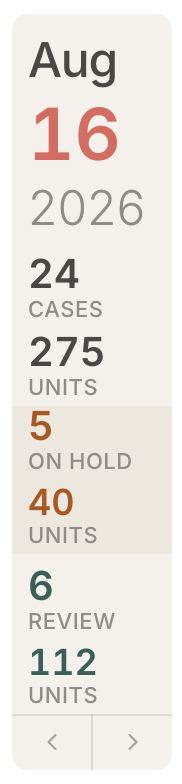
Your entire workload, at a glance
Track active cases and units in production, on hold, and in review, all from one clear, real-time overview.
- Cases and units are counted separately, so a full-arch case never reads like a single crown. Units come straight off the tooth chart.
- Production totals follow the month on screen. Step through months with the arrows, or jump to any date.
- On hold and in review are counted across every date, not just the current month. Click either one to open exactly those cases.
- Everything is scoped to your own work: the cases you own plus the ones shared with you.
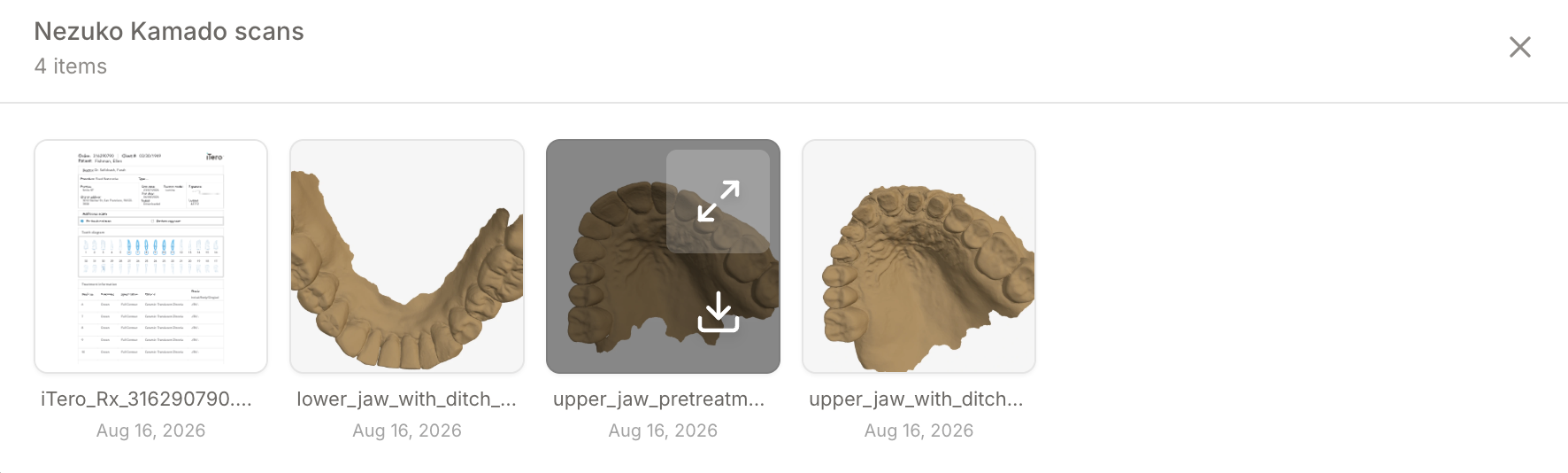
Review every file without leaving Case Flow ID.
Open photos, scans, documents, and ZIP contents instantly. No downloads, no extraction, no wasted time searching for the right file.
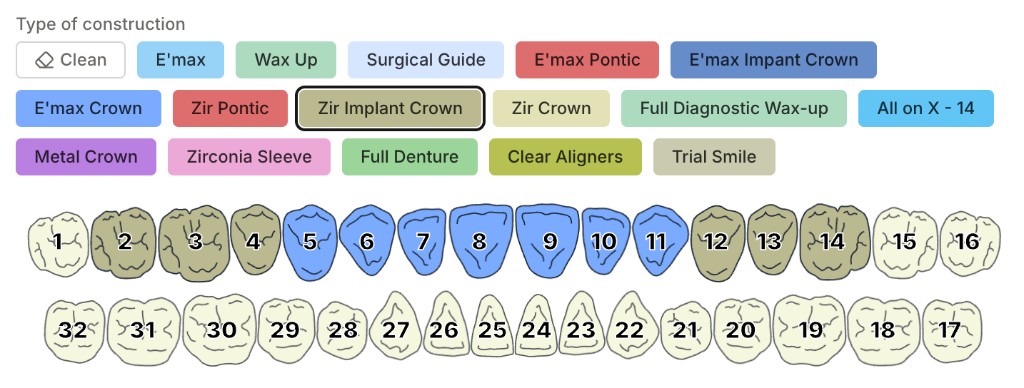
Flexible when you need it. Simple when you do not.
Create cases with fully customized colors and construction types, or start instantly with the clean, intuitive defaults in Case Flow ID.
Organized exactly how you think.
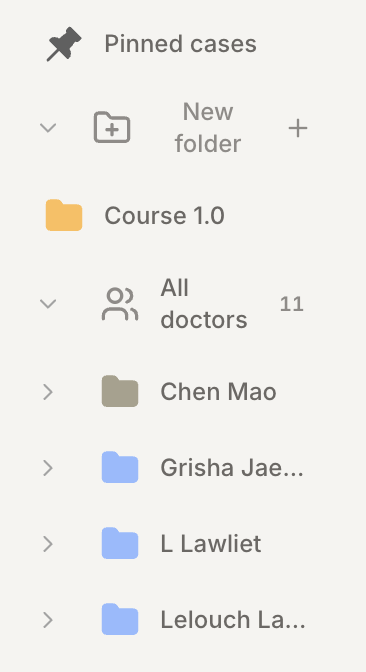
Pin the cases you are working on, group them by doctor, and add folders of your own. Badges show where new activity landed, so nothing gets lost.
Move every case forward in one click.
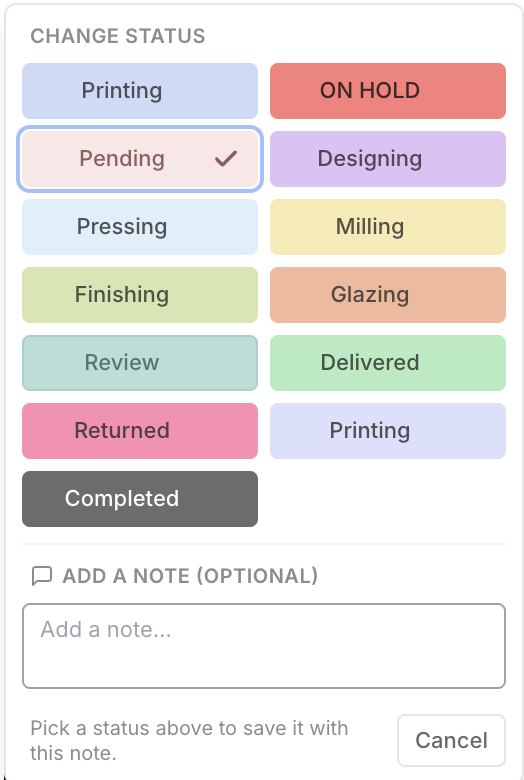
Statuses are yours to define. Rename them, recolour them, and add the steps your lab actually uses. The colour then follows the case everywhere: lists, tiles and the calendar.
- Pick a status and it saves on the spot. No dialog, no save button.
- Attach an optional note, so the reason travels with the change instead of living only in memory.
- Every move is recorded in the case history: who changed it, when, and what it moved from and to.
Every change, on the record.
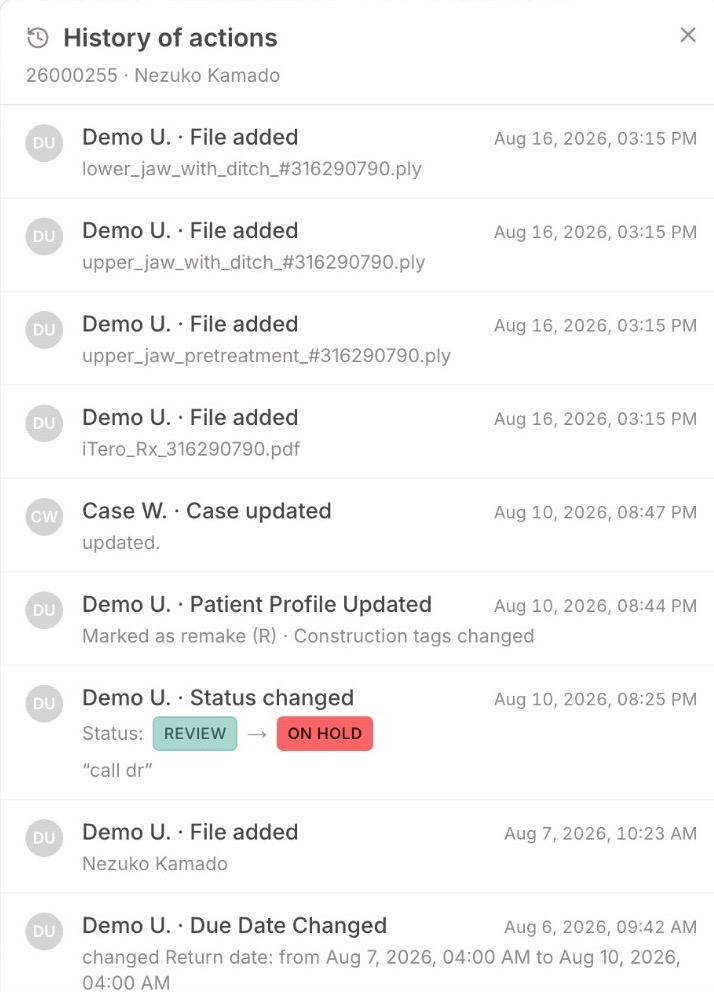
Files added, statuses moved, due dates shifted, profile edits. Each one is logged with the person who did it and the minute it happened.
- Status changes keep the note that came with them, and show exactly what they moved from and to.
- Due date changes record the old date beside the new one, so a slipped deadline is never a mystery.
- History opens from the case itself, and only people with access to that case can read it.
The small things that make a difference
Doctors you already work with
Start typing and pick a doctor from your directory. Name, practice and contact details fill themselves in. A new doctor is saved as you go, ready for the next case.
Prices that follow the work
Give each construction type a unit price, and override it per doctor where the arrangement is different. Cases total themselves from the tooth chart.
Work tickets and invoices, printed
Print a work ticket the moment a case is created. Invoice a single case, or pull one summary invoice covering everything you did for a doctor.
Hand a case to another lab
Send a copy or share the live case with another Case Flow ID account. Nothing moves until they approve it from their inbox.
Calm by default
No alert sounds and no blinking dashboards. Routine work, a status, a note, a filename, saves in place instead of behind a dialog.
Designed to support HIPAA compliance
Case Flow ID is built for HIPAA-regulated dental lab workflows. Here are the specific safeguards we operate today.
Encryption
Connections use HTTPS/TLS. Case data in our managed database and files in private object storage are encrypted at rest.
AWS under a Business Associate Agreement
The application is hosted on Amazon Web Services under a Business Associate Agreement with AWS.
Speech transcription
Voice transcription uses Google Cloud Speech-to-Text, a BAA-covered Google Cloud service, processed through our servers.
Access controls
Access is role-based. Cases are isolated by practice: team members and admins only reach cases in their own practice, unless a case is explicitly shared.
Activity logging
We keep an application audit log of sensitive case and file actions, including submit, delete, media upload and access, and sharing, with actor, time, and outcome.
Automatic session timeout
Inactive sessions are signed out after 24 hours.
No ads, no sale of data
We do not sell your data, and we do not use PHI for advertising.
Questions about our security program or agreements for covered-entity customers: contact us through the channels on this site.
Ready to see your own cases here?
Create an account and spend the first thirty days in the workspace. No subscription until the trial ends.
Experience Case Flow ID